
IPTV UK 2026: How to Choose the Best UK IPTV Subscription
Choosing an IPTV UK subscription is easier when you know what actually affects your viewing. This guide explains how IPTV works, what to compare between UK IPTV providers, why a trial is worth using, and how to get set up on Firestick, Smart TV and other devices.
You will also find straight answers on 4K, internet speed, buffering, M3U and Xtream logins, and the legal position in the UK.
- Works on Popular Devices
- 4K & Full HD Support
- Fast Setup
- Customer Support
Transparency note: this guide is published by Mediaspelare, which operates an IPTV subscription service. The buying advice below is written to be useful whichever provider you choose, and it is not an independent review of Mediaspelare or of any other service.
What Is IPTV?
IPTV (Internet Protocol Television) is television delivered over an internet connection instead of through an aerial, satellite dish or cable. Channels and on-demand videos are sent as data streams to an app on your TV, streaming stick, phone or computer, so all you need is a compatible device and a stable broadband connection.
The idea is not new. BT TV, Virgin Media’s newer TV boxes and the catch-up players most of us use every day all rely on internet delivery in one form or another. What people usually mean when they search for “IPTV”, though, is a subscription that bundles live channels, a TV guide and a video library into a single login you can use in a player app of your choice.
Because the signal arrives over broadband, IPTV is not tied to one room or one box. The same subscription can usually be installed on the living-room TV, a bedroom Firestick and a phone, which is a big part of its appeal for households that have moved away from long satellite or cable contracts.
What Does IPTV UK Mean?
“IPTV UK” is simply shorthand for IPTV used by viewers in the United Kingdom. People also search for UK IPTV, British IPTV or United Kingdom IPTV, and they are usually looking for the same thing: a service that performs well on British broadband, includes an accurate UK TV guide in the right time zone, and works on the devices that are common in UK homes, such as Amazon Fire TV Sticks, Samsung and LG Smart TVs and Android TV boxes.
It does not describe a different technology. A UK-focused service is judged on the same things as any other IPTV service, but with local details in mind: evening performance on UK networks (when most people are watching), EPG listings that line up with UK schedules, and support that answers during UK hours.
How Does IPTV Work?
You do not need to be technical to understand IPTV. It helps to picture a short chain of five links, where every link affects what you see on screen.
- 1. Providersupplies the streams and your login
- 2. Player appreads the login and shows channels
- 3. Deviceruns the app (TV, stick, phone)
- 4. Internetcarries the stream to your home
- 5. Displaythe TV or screen you watch on

The provider runs the servers and gives you login details. The player is the app that turns those details into a channel list, a TV guide and a video library. The device runs the player, your internet connection carries the stream, and the display shows the final picture.
This is why two people can have very different experiences with the same service. A strong provider paired with an old device on weak Wi-Fi can still stutter, while an average connection with a wired Firestick may run perfectly. When something goes wrong, working through the chain one link at a time is the quickest way to find the cause.
IPTV Subscription UK: What Should You Look For?
A good IPTV subscription in the UK is one that works reliably on your devices, at the times you watch, with clear terms. Price matters, but it is only one of nine things worth checking before you commit.
Streaming stability
Channels should load quickly and keep playing, especially on busy evenings and weekends.
Device compatibility
Check it supports what you own: Firestick, Smart TV, Android TV, Apple devices or a PC.
Picture quality
SD, HD, Full HD and 4K options, with consistent quality rather than headline labels.
Setup
Clear instructions for your device and login details delivered in a format your player accepts.
Customer support
A real way to get help, with sensible response times and useful answers.
Trial availability
A short test, where offered, lets you check performance on your own network first.
Connection limits
How many screens can stream at the same time, not just how many devices can log in.
Subscription length
Monthly flexibility versus the lower monthly cost of longer plans.
Transparent terms
A readable refund policy, terms of use and privacy policy you can find before paying.
If a service is vague on several of these points, treat that as useful information. The providers worth considering are usually happy to explain how their plans, connections and support actually work.
How to Choose the Best IPTV UK Service
There is no single “best IPTV UK” service for everyone, and any list claiming otherwise should be read with care. The best choice for you is the one that runs smoothly on your devices, on your broadband, for the things you actually watch. A family streaming on three screens has very different needs from someone watching on one Firestick.
Instead of chasing rankings, judge each option against the five areas below.
Streaming Stability
Stability is the difference between a service you enjoy and one you give up on. Look for fast channel loading, smooth switching and consistent playback during peak evening hours, when UK networks are at their busiest. A service that works at 11am but struggles at 8pm is not stable.
Device Compatibility
Make a note of every device you plan to use before comparing services. Most providers support Fire TV and Android-based devices, but Smart TV support can vary by brand and model year, and Apple devices depend on which player apps are available.
IPTV Player Compatibility
The provider and the player are separate. Check the login formats a service supplies (usually Xtream Codes and an M3U link) and make sure the player you want to use accepts them. Services that support standard formats give you more freedom to switch apps later.
Support
Even good services need help occasionally: a new device, a forgotten password, an app update. Look for a clear contact route and a setup guide you can follow on your own. It is worth sending a question before you subscribe to see how quickly and helpfully it is answered.
Pricing and Subscription Length
Compare the monthly equivalent, not just the headline price, and check what happens if the service does not work for you. A slightly higher price with clear terms and good support is often better value than the cheapest plan with none.
IPTV UK Free Trial: Why Testing First Matters
Searches for an IPTV UK free trial are popular for a good reason. No description or review can tell you how a service will behave on your broadband, your router and your devices. A short test, where a provider offers one, answers that question before you spend money on a longer plan.
Treat a trial as a proper test rather than a quick look. Here is what to check:
- Loading speed – how quickly channels and the guide appear
- Stream switching – how smoothly you can change channels
- Picture quality – sharpness and motion on your actual TV
- EPG – whether listings are accurate for UK times
- Device compatibility – try every device you plan to use
- Evening performance – test between 7pm and 10pm
- HD / 4K performance – check high-bitrate streams specifically
- Navigation – whether finding channels feels easy
Not every provider offers a free IPTV trial in the UK, and some offer a short paid test or a one-month plan instead. Whichever route you take, read the refund policy first so you know where you stand if the service is not right for you.
IPTV on Firestick UK
The Amazon Fire TV Stick is one of the most popular ways to watch IPTV in the UK. It is affordable, plugs into any TV with an HDMI port and runs most of the widely used IPTV players. Newer 4K models also handle higher-bitrate streams more comfortably than older sticks.
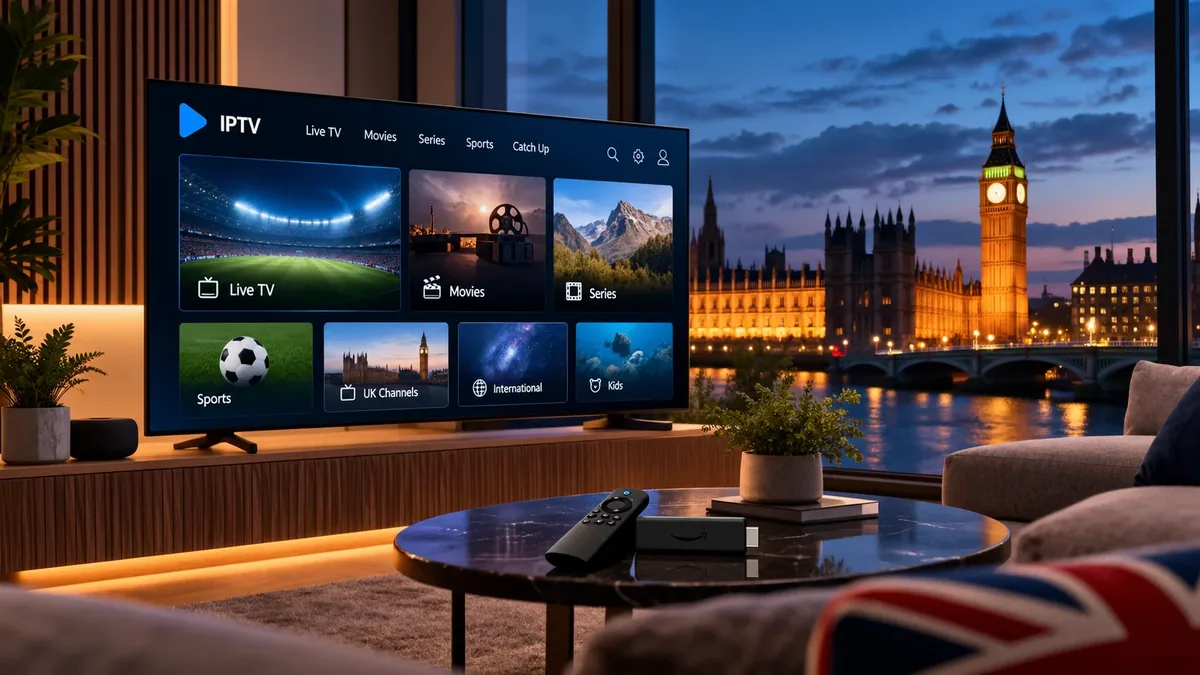
The key thing to understand is the difference between the provider and the player. Your IPTV provider gives you the login details. The player is the app you install on the Firestick to use them. You can change players at any time without changing your subscription.
Setting up IPTV on Firestick usually follows the same pattern:
- Install a compatible IPTV player on the Fire TV Stick.
- Open the player and choose to add a playlist or login.
- Enter the Xtream Codes details or M3U link supplied by your provider.
- Wait for channels and the TV guide to load, then start watching.
Some players are available directly from the Amazon Appstore, while others need to be installed with a download tool, which requires changing a developer setting on the stick. Our step-by-step Firestick and Fire TV installation guide walks through each method.
IPTV on Smart TV
Watching IPTV directly on a Smart TV removes the need for an extra box, but support depends on the TV’s operating system. The main UK platforms behave quite differently.
Samsung (Tizen)
Samsung TVs use their own app store, so you are limited to IPTV players published there. Several players are available, some of which charge a one-off or yearly activation fee.
LG (webOS)
Similar to Samsung: choose a player from the LG Content Store. Check that the app supports your provider’s login format before activating it.
Android TV
Sony, Philips, TCL and Hisense models running Android TV have the widest player choice, as most Android IPTV apps install directly.
Google TV
Google TV is built on Android TV, so it supports the same players. It is found on newer TVs and on the Chromecast with Google TV.
If your TV’s built-in app store is limited, a Fire TV Stick or Android TV box is usually the simplest upgrade. For brand-by-brand steps, see the Smart TV setup instructions in our device guide.
IPTV Compatible Devices
One advantage of IPTV is how many devices it runs on. As long as a device can install a compatible player and connect to the internet, it can usually play your subscription.
- Smart TV
- Fire TV devices
- Android TV
- Google TV
- Apple TV
- Android phones
- iPhone & iPad
- Windows PC
- Mac
- Compatible TV boxes
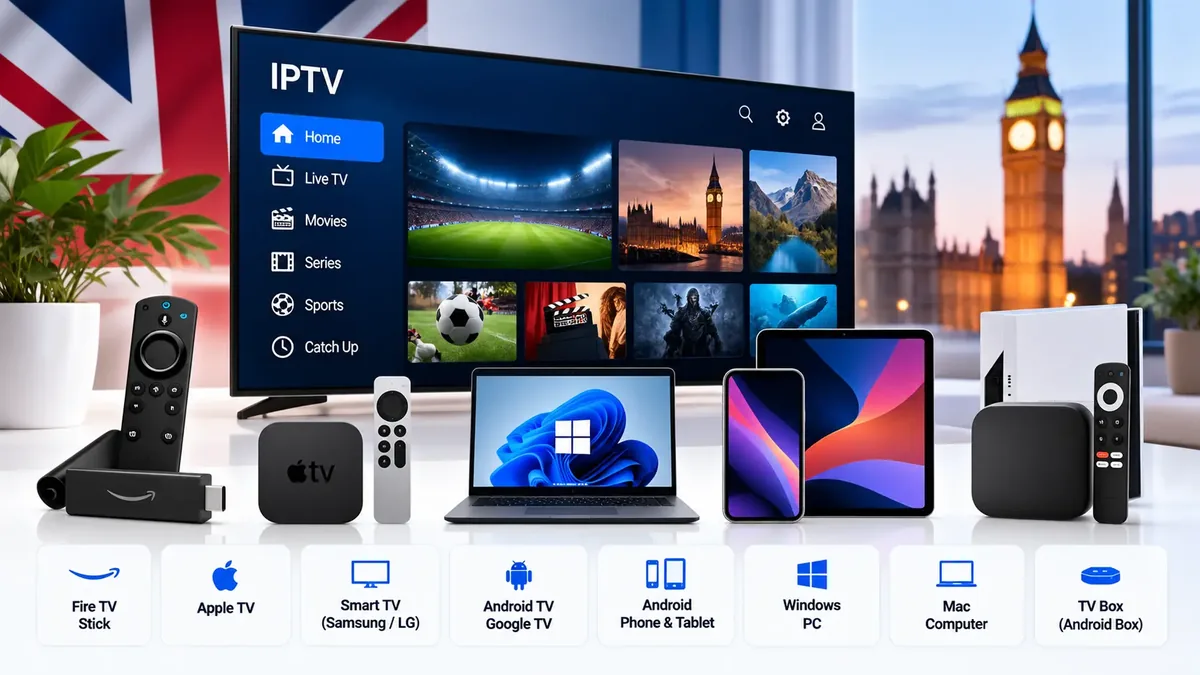
For the best experience on a big screen, a dedicated streaming device (Fire TV, Android TV, Google TV or Apple TV) tends to be faster and better supported than an older Smart TV’s built-in apps. Phones, tablets and laptops are ideal for watching around the house or when you are away.
Older or unbranded TV boxes can struggle with 4K and newer apps, so if you are buying hardware for IPTV, a current, well-supported model is money well spent.
IPTV Players: Provider vs Player
This is the most common point of confusion for new users, so it is worth being clear. An IPTV provider supplies the channels and your login. An IPTV player is an app that displays them. The player does not include any channels of its own.
A helpful comparison is a SIM card and a phone. Your subscription is the SIM; the player is the handset you put it in. You can switch players whenever you like and your subscription stays the same.
| Player | Typical devices | Good to know |
|---|---|---|
| TiviMate | Fire TV, Android TV, Google TV, Android boxes | Android-based devices only; a TV-style guide that many users like. Some features need a premium upgrade. |
| IPTV Smarters Pro | Android, Fire TV, iPhone, iPad, Apple TV and others | Available on many platforms and supports Xtream Codes and M3U logins. |
| Smart TV players | Samsung, LG | Installed from the TV’s own app store; many charge an activation fee. |
Player availability changes from time to time, so check the current version for your device. Our IPTV player and app setup guide covers the player apps we recommend for each type of device.
What Is an EPG?
An EPG (Electronic Programme Guide) is the on-screen TV guide that shows what is on each channel now and next. In IPTV, the provider supplies the guide data and your player displays it in a grid, much like the guide on Freeview or satellite TV.
A good EPG makes a subscription far easier to use. For UK viewers, it should show programmes at the correct UK times, including after the clocks change in spring and autumn. If listings appear an hour out, most players let you adjust the EPG time offset in settings.
4K IPTV UK: Is 4K Worth It?
4K IPTV can look superb on a large, good-quality TV, but the “4K” label alone does not guarantee a better picture. Six things decide what you really see:
Source quality
A stream is only as good as the original broadcast or file it came from.
Compression
Heavily compressed 4K can look worse than a well-encoded Full HD stream.
Device
Your stick or TV must decode 4K (often HEVC) smoothly.
Internet connection
4K needs noticeably more sustained bandwidth than HD.
Display
On smaller screens or at normal viewing distance, the gain can be modest.
Server performance
The provider’s servers must deliver the higher bitrate without dropping.
If you have a 4K TV, a capable device and a strong connection, 4K IPTV is well worth testing. If any link is weak, a stable Full HD stream will often be the more enjoyable choice.
How Fast Should Your Internet Be for IPTV?
There is no single magic number, because the bitrate of streams varies between channels and providers. As a practical rule of thumb for one stream at a time:
| Quality | Comfortable speed per stream (rough guide) |
|---|---|
| SD / HD (720p) | Around 5–10 Mbps |
| Full HD (1080p) | Around 10–16 Mbps |
| 4K (2160p) | Around 25 Mbps or more |
These are guidelines, not guarantees. What matters most is a stable speed at the device, not the headline figure on your broadband contract. Add the requirements together if several people stream at once.
Wi-Fi vs Ethernet
A wired Ethernet connection is almost always more consistent than Wi-Fi. If your TV or box has an Ethernet port and the router is nearby, use it. Powerline adapters or a mesh Wi-Fi system are good alternatives when a cable is not practical.
Router distance and network congestion
Walls, floors and distance weaken Wi-Fi quickly. Other activity on your network, such as large downloads, video calls and game updates, competes for the same bandwidth. Run a speed test on the streaming device itself, ideally in the evening, to see what it really receives.
Why Does IPTV Buffer?
Buffering happens when the stream cannot reach your device fast enough to keep playing. The cause can be anywhere in the chain: the provider, the player, the device, your home network or your broadband. Work through this checklist in order, as the quickest fixes come first.
- Restart the application. Close the player fully and reopen it.
- Restart the device. Unplug the Firestick, box or TV for 30 seconds to clear its memory.
- Restart the router. This often clears congestion and connection problems.
- Test another stream. If only one channel buffers, the issue is probably that source.
- Test another player. A different app can rule out a player-specific problem.
- Test another device. If a phone plays smoothly but the TV does not, focus on the TV setup.
- Try Ethernet. A cable removes Wi-Fi from the equation instantly.
- Check your Wi-Fi. Move the router, switch to the 5 GHz band or reduce other network use.
If buffering continues after all eight steps, contact your provider’s support with the details of what you tested. It will save time and help them find the cause faster.
IPTV Providers UK: What Should You Compare?
You will find plenty of “top 10 IPTV providers UK” lists online. Many are written by sellers or affiliates, and few explain how anything was tested. A more reliable approach is to compare IPTV providers in the UK against the same short set of questions yourself.
| Question | Why it matters |
|---|---|
| Can I test it first, or is there a short plan? | Lets you check performance on your own network before committing. |
| Which devices and players are supported? | Avoids paying for something that will not run on your TV. |
| Which login formats are supplied? | Xtream Codes and M3U support gives you a wider choice of players. |
| How many simultaneous connections are included? | Decides whether several people can watch at once. |
| Is there an EPG, and is it accurate for UK times? | A good guide makes daily use much easier. |
| How do I contact support? | Tells you where to turn when something stops working. |
| Are the refund policy and terms easy to find? | Clear terms are a basic sign of a service that stands behind its product. |
Be cautious with IPTV reviews in the UK that promise perfection, as no internet-delivered service is immune to occasional issues. What matters is how rare those issues are and how quickly they are fixed.
Cheap IPTV UK vs Reliable IPTV
It is natural to search for cheap IPTV in the UK, and a lower price is not automatically a bad sign. The problem is when price is the only thing a service competes on. Running stable servers, keeping guides accurate and answering support requests all cost money, and very low prices can mean corners are cut in exactly those areas.
A more useful question than “what is cheapest?” is “what gives me the most reliable viewing for the money?” A plan that works every evening without fuss is better value than a cheaper one you end up replacing after a few weeks.
Monthly vs Longer IPTV Subscriptions
Most IPTV services offer plans of one, three, six and twelve months, with the monthly equivalent falling as the plan gets longer. Longer plans are cheaper per month, while monthly plans keep you flexible.
The sensible approach is to test first. Start with a trial where one is offered, or a one-month plan if not. Once you are confident the service works well on your devices during the evenings, moving to a longer plan makes financial sense. Committing to twelve months with a service you have never tried is the most common way people end up disappointed.
Can IPTV Work on Multiple Devices?
Usually yes, but there is an important difference between two things that are often confused.
Installing on multiple devices
You can normally enter the same login on a TV, a Firestick and a phone. This just means the app is set up and ready on each one.
Streaming at the same time
Simultaneous connections decide how many of those devices can play at once. A one-connection plan means one active stream at a time.
If two people try to watch at the same time on a single-connection plan, one stream will usually stop or refuse to load. If your household watches on more than one screen together, check the connection allowance before you subscribe.
M3U vs Xtream Login
Most IPTV providers deliver your subscription in one or both of these formats. Both give you access to the same service; they are simply different ways of connecting a player to it.
M3U playlist
A single web link (URL) that contains your channel list. You paste it into the player, often alongside a separate EPG link for the TV guide. It is widely supported but can be long and awkward to type on a TV remote.
Xtream Codes login
Three short details: server URL, username and password. Players that support it usually load the channels, TV guide and video library automatically, which makes it the easier option for most people.
If your player supports Xtream Codes, it is usually the simpler choice. Keep the M3U link as a back-up for players that only accept playlists.
Is IPTV Legal in the UK?
IPTV as a technology is not illegal in the UK. It is simply a way of delivering television over the internet, and it is used by licensed broadcasters and platforms every day.
What decides legality is the content and the rights behind it. Under UK copyright law, broadcasting or distributing TV channels, films or sport requires permission from the rights holders. A service that distributes content without those permissions is acting unlawfully, and rights holders and UK authorities do take action against unlicensed services. Viewers can also be affected when they knowingly access content that has not been licensed.
A separate point applies to everyone: in the UK you need a TV Licence to watch or record live TV on any channel or device, including over the internet, and to use BBC iPlayer.
Do You Need a VPN for IPTV?
A VPN is not required to use IPTV. Some people use one for privacy, or because their broadband provider manages certain types of traffic, and in those cases a VPN can occasionally make a difference.
It is not a fix for buffering, though. A VPN adds an extra step between you and the server, which can slow a connection down as easily as speed it up. If you do use one, choose a reputable provider with fast UK servers, and test with and without it to see which gives you the better result. A VPN does not change whether content is licensed.
Why Consider Mediaspelare.com?
If you are currently comparing IPTV options for the UK, Mediaspelare.com is one service you can evaluate. As the operator, we would rather you check it against the criteria in this guide than take our word for it, so here is what you can verify on the site:
Four plan lengths
1, 3, 6 and 12-month plans, with the monthly equivalent shown for each on the pricing page.
Standard login formats
Details are sent by WhatsApp or email and include Xtream Codes, an M3U link, an EPG link and a MAG portal.
Player-friendly
Use the player you prefer. The installation guide covers Fire TV, Android TV, Smart TVs, Apple devices, Windows and more.
Setup help and clear policies
Setup assistance is listed on the plans, with a contact page, FAQ and published refund policy.
IPTV UK FAQ
What is IPTV UK?
IPTV UK refers to internet-delivered TV used by viewers in the United Kingdom. It works on broadband rather than an aerial or dish, using a player app on devices such as Firesticks, Smart TVs and phones.
How does IPTV work?
A provider supplies streams and a login, a player app on your device reads that login, and your internet connection carries the stream to your screen.
What is the best IPTV UK service?
There is no single best service for everyone. The best choice is the one that runs reliably on your devices and broadband, especially in the evening, with clear terms and responsive support.
What should I look for in a UK IPTV subscription?
Streaming stability, device and player compatibility, picture quality, connection limits, an accurate EPG, helpful support, flexible plan lengths and transparent terms.
Can I get an IPTV UK free trial?
Some providers offer a short free trial, while others offer a paid test or a one-month plan. Check the provider’s website and refund policy before you pay.
Does IPTV work on Firestick?
Yes. The Fire TV Stick is one of the most popular IPTV devices in the UK. You install a compatible player and enter the login from your provider.
Does IPTV work on Smart TV?
Yes, on most modern Smart TVs. Samsung and LG use players from their own app stores, while Android TV and Google TV models support a wider range of apps.
Can IPTV stream in 4K?
Yes, where the provider offers 4K streams and your device, display and connection can handle them. The real quality also depends on the source and compression.
Why does IPTV buffer?
Usually because of weak Wi-Fi, network congestion, an overloaded device or a problem with one stream or server. Restarting the app, device and router, and trying Ethernet, fixes most cases.
Is IPTV legal in the UK?
IPTV technology is legal. Whether a particular service is lawful depends on whether it has the rights to distribute its content. You also need a TV Licence to watch live TV. This is general information, not legal advice.
Do I need a VPN?
No, a VPN is not required. Some people use one for privacy, but it does not automatically fix buffering and can sometimes slow a connection.
Can IPTV work on phones and tablets?
Yes. IPTV players are available for Android phones and tablets as well as iPhone and iPad, so you can watch around the house or on the move.
Can one IPTV subscription work on several devices?
You can usually install it on several devices, but the number that can stream at the same time depends on the connections included in your plan.
What is an IPTV player?
An IPTV player is an app, such as TiviMate or IPTV Smarters Pro, that displays the channels and guide from your subscription. It does not include any content itself.
What is an M3U playlist?
An M3U playlist is a web link containing your channel list. You paste it into a compatible player to load your IPTV channels.
Final Thoughts
The best IPTV UK subscription is not the one with the biggest claims. It is the one that plays smoothly on your devices, in the evenings, on your own broadband. Check device and player compatibility, look for standard login formats and an accurate UK guide, understand how many screens you can use at once, and make sure support and terms are clear.
Most of all, test before you commit. A short trial or a one-month plan tells you more than any review can. If you would like to see how Mediaspelare compares against these criteria, you can view the current plans below.